


A place where your people belong.
Channels, conversations, events and notifications, together in one place. On your Hubsite and in your own branded app, so your people stay connected all week, not just when they visit.
Community is built into your Hubsite, with real people beside you when you set it up.

Community in three simple steps.
Here is what it looks like on a real Hubsite: ours.
Create spaces for your groups.
Channels give every group its own home. Start with a few, and add more as your community grows.
- Group channels by theme, like Connect or Stay informed
- Small groups, committees, classes or teams
- Public channels anyone can see and join
- Membership channels for members of a plan you offer
- Private channels by invitation or approval only
Connect
Small Groups
Weekly circles to share life, learn and pray together.
148 membersVolunteers
Serve teams, sign-ups and thank-yous in one place.
86 membersYouth
A safe space for students and their leaders.
64 membersStay informed
Announcements
The news everyone needs, straight from your leaders.
412 membersEvents
Gatherings, trips and dates worth saving.
298 membersResources
Guides, recordings and reading for every season.
173 members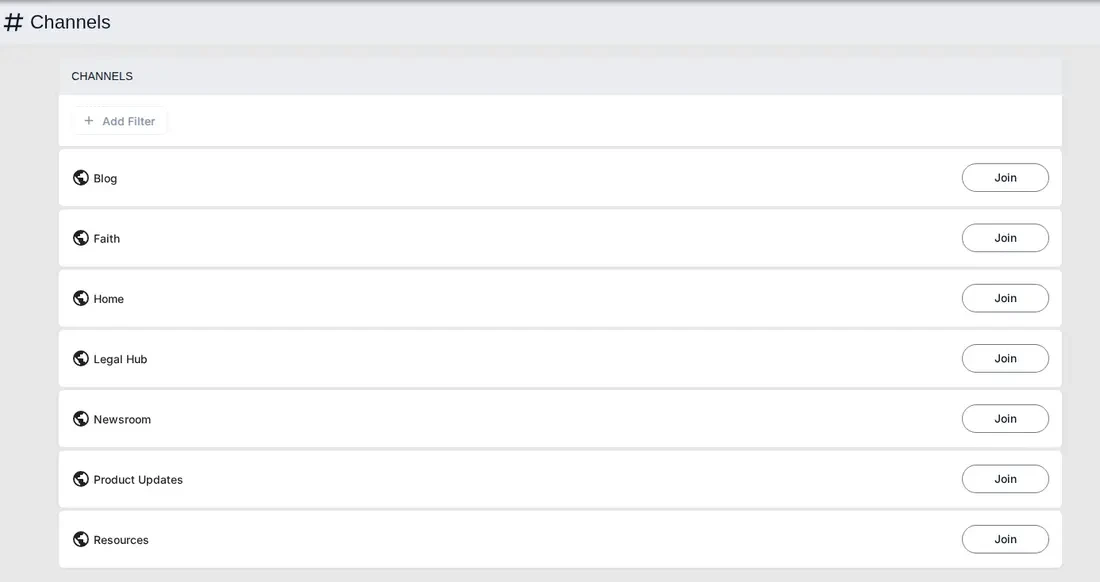
*Customized with Claude. Inset: the standard, off-the-shelf channels page.
Your people join and take part.
Members join the channels that matter to them. Each channel becomes a living feed of posts they can read, like and talk about.
- One tap to join a channel
- Like, comment and share every post
- Events and RSVPs beside the conversation
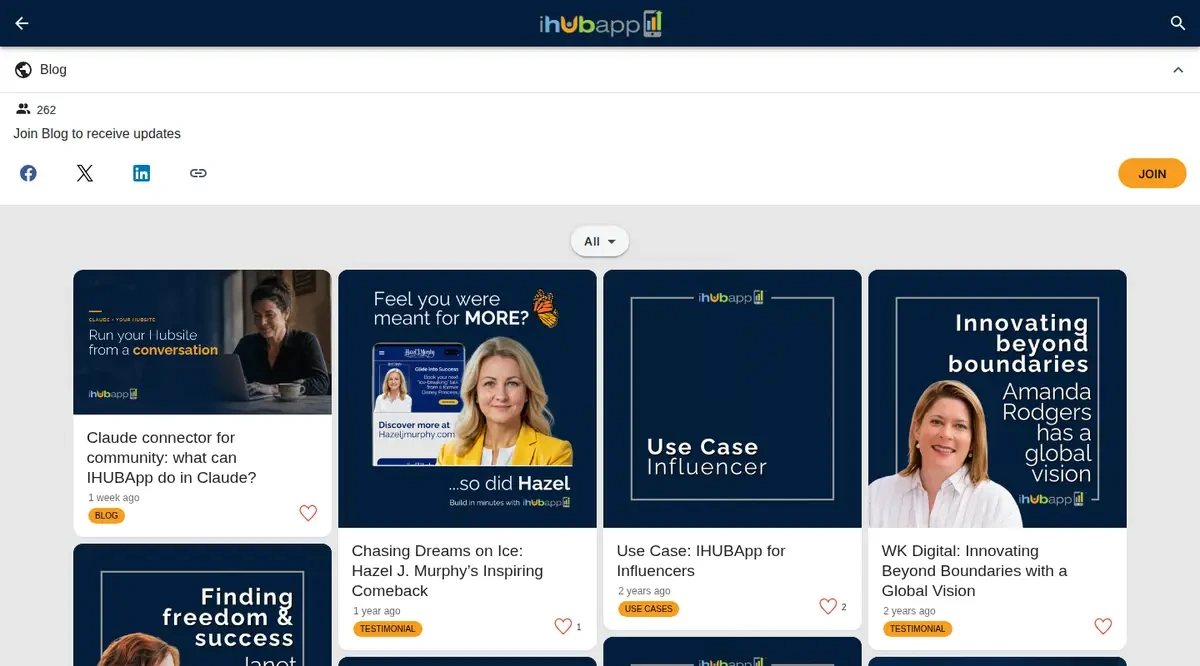
A real channel feed on inspirehub.com, with a member post below.
Stay connected all week.
Your community lives in your own branded app too, so members hear about new posts and events wherever they are, and can reply in the moment.
- Your name and brand on their phone
- A personal feed that brings all their channels together
- Push notifications on desktop and phone
- Automated newsletters with the latest news
- Read, reply and RSVP on the go
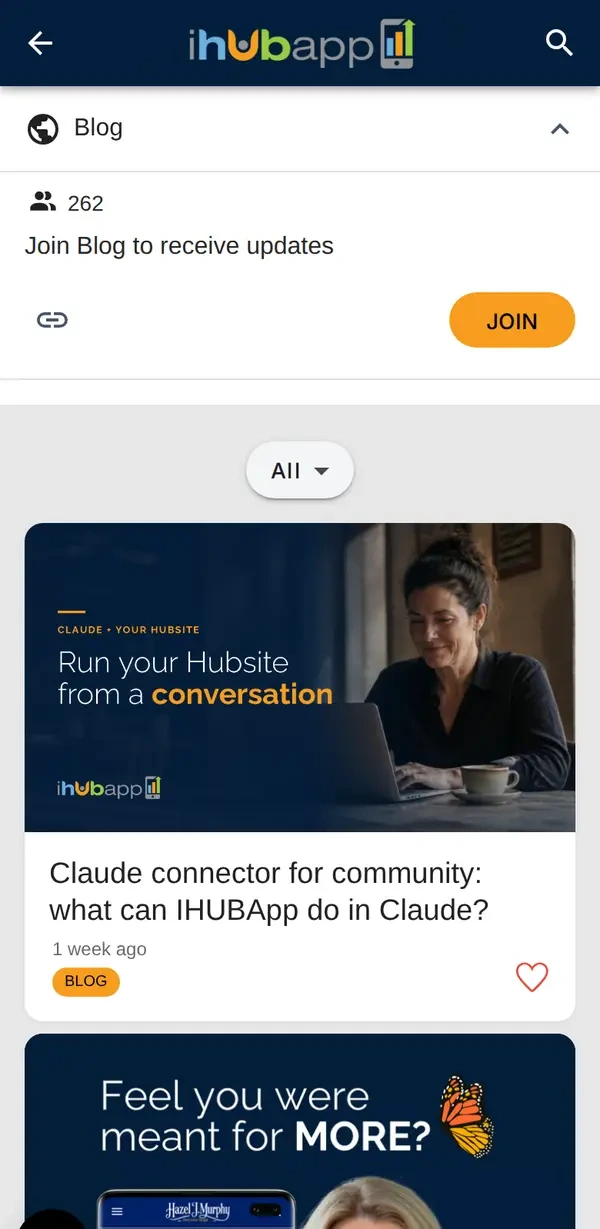
The same channel on a phone.
Circle Ten Council, Scouting America, saw engagement rise 195% while spending 80% less time keeping their community informed. Visit their Hubsite
Explore communities already flourishing.
Real Hubsites from organizations we serve. Visit one and see how their people gather.
Everything they need to connect.
Join the right channels
Members choose the groups that matter to them, from small groups and committees to topics and teams.
Talk it through
Comments and replies keep conversations going under every post, right where the news is shared.
Their own personal feed
Every member gets one feed that gathers new posts from all the channels they've joined, so nothing slips past.
Show up together
Events live beside the conversation, so members can find details and RSVP in a tap.
Push notifications, desktop and phone
Instant alerts on computers and phones bring people back the moment something new arrives in their channels.
Automated newsletters
Newsletters go out automatically with the latest from your community, so members stay informed even when they're away.
Your community, your way.
You set the tone and the boundaries. Your members stay in your community, not on someone else's social feed.
Choose public, membership or private
Open a channel to everyone, reserve it for members of a plan you offer, or keep it private so you approve every person who joins.
Choose what visitors see
Share some channels publicly as an invitation, and keep others for members only.
Keep it healthy
Moderation tools in Hub administration help you look after the tone and safety of every space.
Know your people
See who belongs to each channel, so you can encourage new members and thank faithful ones.
Different people, one place to flourish.
Churches & ministries
Small groups, prayer teams, volunteers and youth, each with a space of its own.
Associations & councils
Committees, chapters and members, with events and updates in one place.
Businesses & makers
A members' club for your best customers, with news, tastings and launches.
Teams & intranets
Departments, projects and announcements for your staff, on web and phone.
Run it all from a conversation.
Ask your assistant to draft a post, help you reply to members, or check what's coming up. It works inside your Hubsite with your own permissions, and saves drafts for you to review.
What people ask about community.
Who can see our community?
You decide, channel by channel. Public channels are open to everyone, membership channels are for members of a plan you offer, and private channels are by invitation or approval only.
Can we keep some conversations private?
Yes. Keep channels for members only and approve each request to join. Public channels can sit alongside them as a welcoming front door.
How do members find out about new posts?
Members get push notifications on their desktop and phone, and automated newsletters bring the latest straight to their inbox, so they hear about new posts and events without checking back.
Does it work on phones?
Yes. Your community lives on your Hubsite and in your own branded app, so members can read, reply and RSVP wherever they are.
Can we use it as a staff intranet?
Yes. Many organizations use channels for departments, projects and announcements, giving their team one connected place to work and stay informed.
Can the IHUBApp AI Assistant help us run it?
Yes. With the connector for Claude, your assistant can draft posts, help you reply to comments, check upcoming events and review notifications, always within your own permissions.
Give your people a place to belong.
See a live community for yourself, or talk with a real person about what yours could look like.